Writing rain, no work and nothing else on the daily report
Every superintendent has seen it: a daily report with a single sentence, "Rain, no work." It is easy to jot down after a long day, especially when nobody set foot on the slab. But one-line logs are the first reports to get flagged by schedulers and owner's reps. They offer no details, no story, and no proof that the weather truly caused the shutdown.
When reviewers see this habit, they question whether the delay was real or just convenient. They want to know what was planned, who was on site, and how rain made specific work impossible. Without these details, your claim looks like an afterthought. The log should spell out what did not happen, why, and how the weather called the shots.
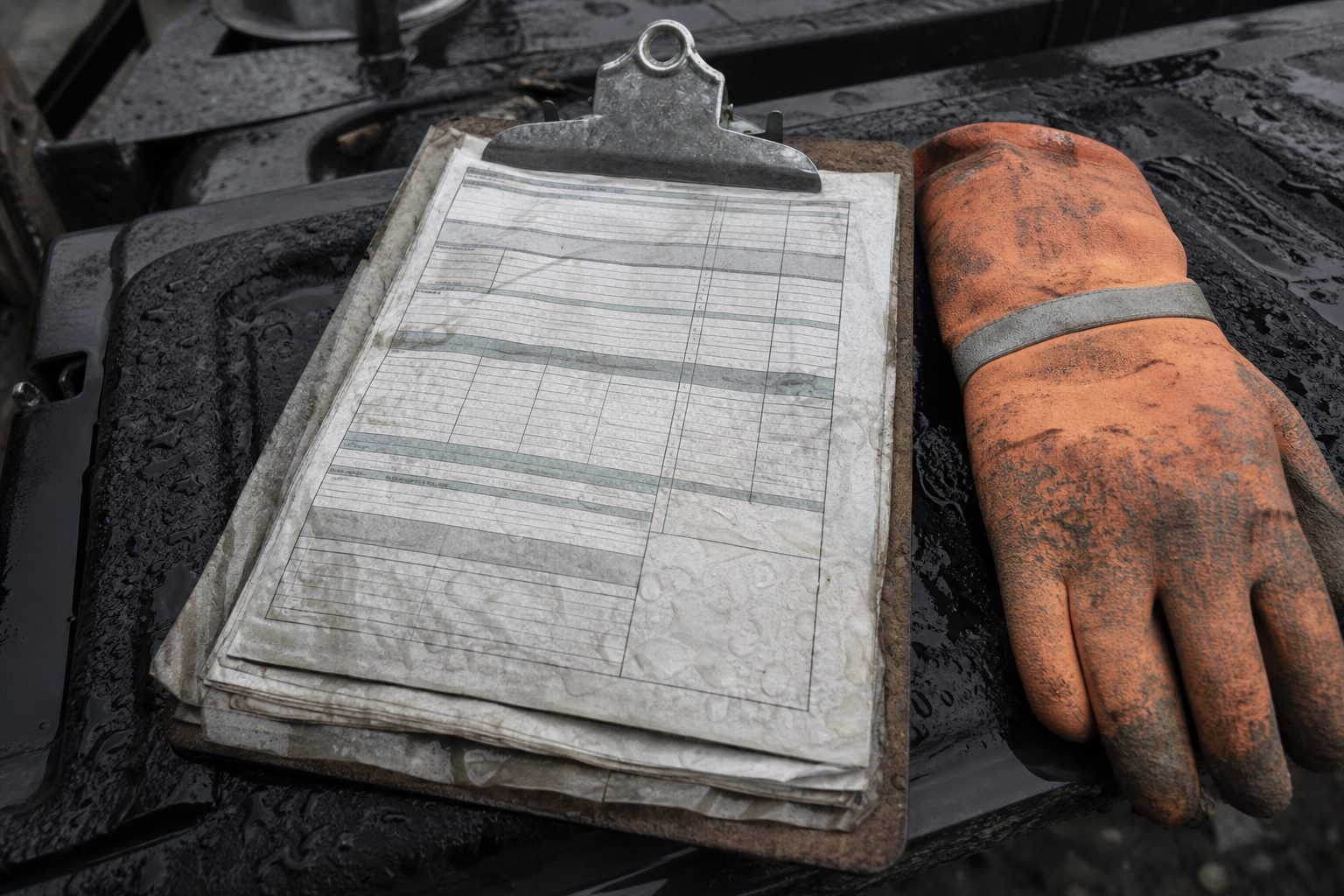
A daily report needs to do more than check a box. It should document the day as if someone will read it with no memory of the job or the weather. This means noting when the rain started, which trades were present, and how rain or wet conditions forced a stop or prevented mobilization. "Rain, no work" tells a reviewer nothing. A denied claim often follows.
Keep reading: The Rained Out Morning Checklist for Site Superintendents
Logging the day but never naming the affected activities
A common pitfall is reporting a weather delay but never linking it to the actual activities on the schedule. General notes about "site work stopped due to rain" lack teeth. The reviewer wants to see that the rain affected a specific, scheduled task. If the report does not mention what was supposed to happen, like slab prep, exterior framing, or roof install, it is easy for the reviewer to decide that nothing critical was set for that window.
The work breakdown structure in most project schedules is the backbone of any delay claim. If your daily log just says "rain delay," but never cites the activity by name or code, you hand the owner's scheduler a perfect out. They may claim the delay hit nothing on the critical path or even nothing scheduled at all. Your daily should always connect the dots: "Could not begin steel erection (Activity 3120) as rain began at 8:30 a.m. and site remained unsafe until 1:00 p.m."
Be specific. The more clearly you tie the lost work to the official plan, the harder it is for a reviewer to deny the day on a technicality.
Leaving out crew headcount and idle equipment hours
Leaving off crew numbers or idle equipment hours is a silent invitation for your weather day to be denied. Reviewers want to know that you had boots on the ground and iron on the site, ready to work if the weather had allowed. If you skip these details, the claim starts to look like a paperwork exercise, not a real jobsite loss.
A solid report includes how many crew members from each trade showed up, what equipment was staged for use, and how long it sat idle. This is especially important for subs doing earthwork, concrete, or steel. If you do not log that the excavator, dozer, or crane was ready to run and sat unused for seven hours, the reviewer may assume you had nothing scheduled or that you were not mobilized to begin with.
Documenting this every day, rain or shine, gives your report credibility. It also builds a pattern. Reviewers can see that rain on Wednesday cost you thirty labor hours and a full day's rental on the telehandler. Without this data, expect pushback.
Photos with no timestamp, no location and no entry to belong to
Photos are powerful evidence, if they are properly documented. Too many daily logs attach a photo of a wet slab or a flooded cut, but the image sits in a folder with no timestamp, no description, and no link to the activities or the weather event. When the reviewer sees a picture with no context, it is usually dismissed.
A photo that proves a delay needs to show the date and time, the part of the site, and the conditions that stopped work. If a reviewer cannot tell if that standing water was from last night's rain, a broken pipe, or a photo from last month, it does not help your case. Photos should be embedded in the daily entry for the right day and activity, with a brief note about what they show.
Many reviewers have access to previous logs and weather records. If your photos are not clearly tied to the day's entry, they will point out discrepancies and question your claim. Make every photo count: timestamp, location, entry. It takes an extra minute but saves hours in disputes later.
Keep reading: Setting a Baseline Weather Day Allowance From NOAA Normals
Filling in the log a week later from memory and text threads
Backfilling daily reports from memory is one of the riskiest habits in delay documentation. It is easy to think you will remember the big details, but a week later, even the best supers confuse which day the rain started late or when the pump actually failed. Some try to piece together the log from old text messages or emails, but these rarely capture the full detail needed for a defensible claim.
Reviewers can often spot a log written after the fact. Handwriting changes, details are vague, and timestamps do not line up with other site records. In some states, contract language even requires daily logs to be recorded on the same day. If your entry is clearly filled out late, the claim may be denied for not meeting documentation standards.
The daily log is strongest when it is created in real time. Not only are the facts fresher, but the log captures small details, like the sound of thunder at 10:00 a.m. or the exact time the city inspector postponed his site visit. These details are hard to fake, and reviewers know it. Logging late almost always leads to lost days and frustration at closeout.
Claiming a day that the schedule shows as pure float
One of the quickest ways to lose a weather day is to claim it during a period of pure float. Most commercial schedules have float built in, for permitting, coordination, or weather risk itself. If your claimed weather delay does not eat into a critical path activity or push a milestone, the owner's scheduler will likely deny it.
Float is the wiggle room between tasks. If rain stops work on a day when the next activity is not set to start for three more days, the reviewer will argue that no real impact occurred. They may allow a delay for severe weather, but standard rain days that fall in float are almost always rejected.
Before logging a delay, cross-check the current schedule. If an activity is not on the critical path, or if you are days ahead, note that in your report. But do not claim float days as lost productivity. The reviewer will spot it and use it to question the rest of your logs.
See how RainDelayLog handles this for commercial construction
Letting the notice window pass on a half day nobody thought mattered
Many contracts require notice of a delay within a set window, often forty-eight hours. It is easy to let a half day of rain in the afternoon slip by, thinking it will not matter. But if you do not log it and give official notice in time, you lose your right to claim it later.
Reviewers are strict about notice provisions. If your log shows a half day lost but the notice went in late, the claim will almost always be denied, even if the weather was severe. Owners and their schedulers rely on these rules to manage risk and control payouts. When a window is missed, they rarely make exceptions.
Always log partial days and submit notices within the contract window, no matter how minor the delay seems. Even an hour lost can add up over a wet season, and missing the window gives the reviewer an easy reason to deny your claim.
Citing a forecast instead of a recorded observation
Some dailies cite the weather forecast as justification for lost work. While forecasts have their place in planning, they do not count as evidence of an actual weather impact. Reviewers want to see hard data, a record from a weather station or a third party showing how much rain fell, when, and for how long.
A forecast may call for rain all day, but if the site only gets a light sprinkle, the reviewer will point to the recorded observations and say you could have worked. Conversely, a forecast might show clearing skies, but if the log includes an official record of heavy rain at the site, the claim is much stronger.
Always base your claim on what the weather did, not what was predicted. Attach station data, screen captures from a weather service for that exact location, or logs from an on-site weather device. This is the evidence reviewers respect, and it is often the deciding factor in close claims.
Conclusion: Getting your weather days approved
Daily site logs are the backbone of defensible weather delay claims. Owners and their schedulers are trained to spot weak documentation, missing details, and technical slip-ups. Consistent, specific daily reports, tied to planned activities, headcount, equipment, timestamped photos, and official weather observations, make all the difference. Filling out the log in real time, never relying on memory or forecasts, and never missing a notice window gives your claim the best chance.
Tools that automate weather capture and organize defensible documentation, like daily log apps with weather station integration, help crews avoid these common pitfalls and build reports that stand up under review.